01
Building zoom
The edit begins outside a dark apartment block and moves toward one lit room.
Template guide · Direct link and fallback
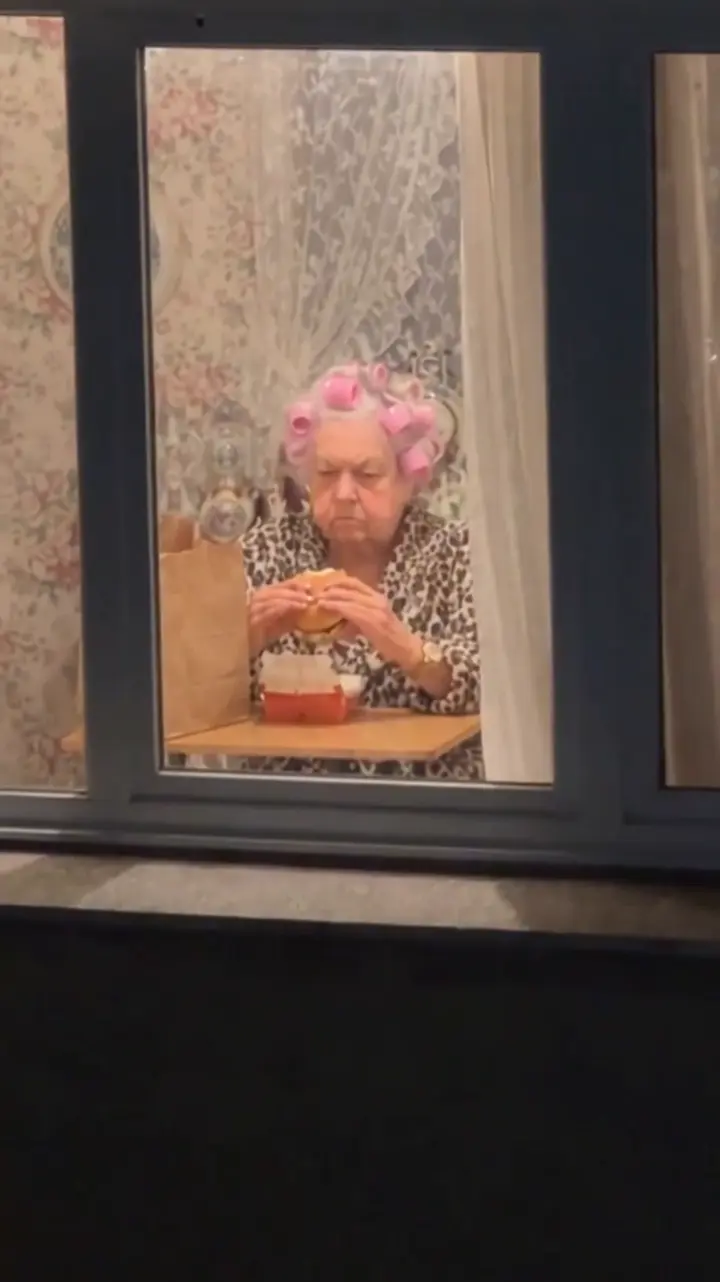
The Window Peeper template is a vertical CapCut edit built around three shots: a nighttime building approach, an eater staring back through the window and a final curtain close. Open the current listing, verify those beats, then follow the media slots shown in CapCut.
01 · Quick answer
01
The edit begins outside a dark apartment block and moves toward one lit room.
02
The person inside calmly eats while looking directly back at the viewer.
03
The final beat ends the stare by shutting the watcher out.
A matching title alone is not enough. Templates can be reposted or renamed, so compare the full preview with this sequence before you add personal media.
02 · What we verified
9:16
vertical format shown on the observed listing
3 beats
approach, stare and curtain close
CapCut
the current template workflow
Live
media slots and availability must be checked in-app
The template page was observed on October 22, 2026. Use counts, availability, required assets, music access and export terms can change, so this guide does not freeze those changing details as permanent facts.
03 · How to use it
Use the direct CapCut link above or the Use template button on a matching TikTok post.
Watch through the approach, stare and curtain close. Leave if the edit does not match.
Add only media you are allowed to use and follow the current slot count, type and duration shown by CapCut.
Check crops, faces, timing, music rights and any account or paid-feature notice before you post.
04 · Choose the workflow
Want the detailed trade-offs? Compare Window Peeper AI with the CapCut template.
05 · Troubleshooting
Start with the symptom you see. A template link can behave differently across devices, accounts and regions, and an older walkthrough may no longer match the live listing.
Open it on a phone with CapCut installed. Sign in, update the app and retry the direct listing rather than a copied link.
Return to this page in your mobile browser and open the reference again. A redirect can mean the deep link failed or the listing is no longer active.
Availability can differ by region, account and device. If the signed-in app still blocks it, there may be no current CapCut route for that account.
Treat the live slot count and order as authoritative. Preview the building approach, stare and curtain close; leave the listing if the sequence no longer matches.
Do not upload personal media until the preview and live slot instructions match the edit you intend to make.
06 · Questions
Use the CapCut listing linked on this page or open a matching TikTok post and look for its Use template link. Confirm the preview shows the building approach, direct stare and curtain close before adding media.
Do not assume every export is free. Template availability, account requirements and paid features can differ by device, region and the current CapCut product. Check the terms shown in your app before exporting.
Follow the media-slot instructions shown on the current CapCut template screen. Listings can change, so the live template is the source of truth for the number and type of assets it accepts.
Yes. Window Peeper AI uses one authorized everyday photo of a consenting adult or a cat or dog and generates a new 14-second vertical scene through a web-based workflow.
A template can be removed, renamed or unavailable for an account, device or region. Open the link on a phone with CapCut installed, sign in, update the app and retry. If the listing still redirects or stays unavailable, there may be no current CapCut fix for your region or account.
CapCut creators can revise or replace a listing. Follow the slot count, media type and order shown on the live template—not an older tutorial. Preview all three story beats before exporting; if they no longer match, leave that listing.
07 · AI fallback
Upload one authorized photo of a consenting adult or a cat or dog, choose a room and generate the approach, stare and curtain-close beat as a new vertical MP4. This creates a new AI-generated result; it does not open or reproduce the CapCut reference template.
New to the joke? Read what the Window Peeper trend means.